 Engine Mentor
An AI tutor that lives inside the Unreal Editor.
Ask in text or by voice. The Mentor sees your active editor window and explains the way, highlights the next click, demonstrates it, or does it for you.
- Unreal Engine 5.8
- Claude, ChatGPT & more
- Local voice · Whisper + Piper
Video couldn't load.
Engine Mentor in action
Four ways to learn
Explain
The Mentor describes the way step by step in the chat.
Show
Every step is highlighted right in the editor, even inside open menus. You click, it moves on.
Demonstrate
The Mentor announces each step, moves the cursor slowly to the target and clicks or types. You watch and learn the path.
Autonomous
Say what you want and the Mentor does it while you watch. It asks before saving, deleting, renaming or building.
What's inside
- Your AI, your choice
- Use your Claude or ChatGPT subscription, an API key for Anthropic, OpenAI, xAI, Gemini, Mistral or OpenRouter, or a local server such as Ollama or LM Studio.
- Sees what you see
- A screenshot of the active editor window plus a list of the visible controls gives the Mentor real context, not guesses.
- 250 recipes, verified as you go
- Pick from 250 common tasks in nine areas, from restoring a lost panel to building a main menu. Once a recipe runs through in your editor, it counts as verified for your engine version, and next time the Mentor replays that exact path without asking the AI. Matching recipes are recognized on your PC before anything is sent.
- Knows your project
- A project overview lists your levels, Blueprints with their parent class, C++ classes and key assets, and updates itself. Ask about your player character and the Mentor knows what it is called and where it lives.
- Debugs while you play
- Errors during Play in Editor are announced right away. The Mentor explains the likely cause aloud and names the Blueprint node or code line, up to three times per play session. New errors and warnings go along with your next question.
- Talk instead of type
- Click or press Ctrl+Shift+Space and keep talking: your words appear after every pause while you go on. Answers can be read aloud. Speech recognition and voices run on your machine.
- Speaks Unreal
- Around 110 Unreal terms come out right, with a German or an English accent: "Rigid Body", not "Ritschit Bodi". Read aloud, shortcuts sound natural: "RMB" becomes "right mouse button". Add your own terms and practise them in a short training round.
- 178 voices, 53 languages
- Download Piper voices from the built-in catalog, pick Whisper models from tiny to large-v3, switch without restarting.
- Lessons that remember
- Eleven starter lessons per language, from viewport basics to your first Blueprint, plus your own as JSON files. A local learning log picks up where you left off.
- Always in control
- Stop anything with Esc, the pause button or your own click. Dock it as a tab or float it as a window.
A closer look
Shown with the German interface. The Mentor runs in English and German.
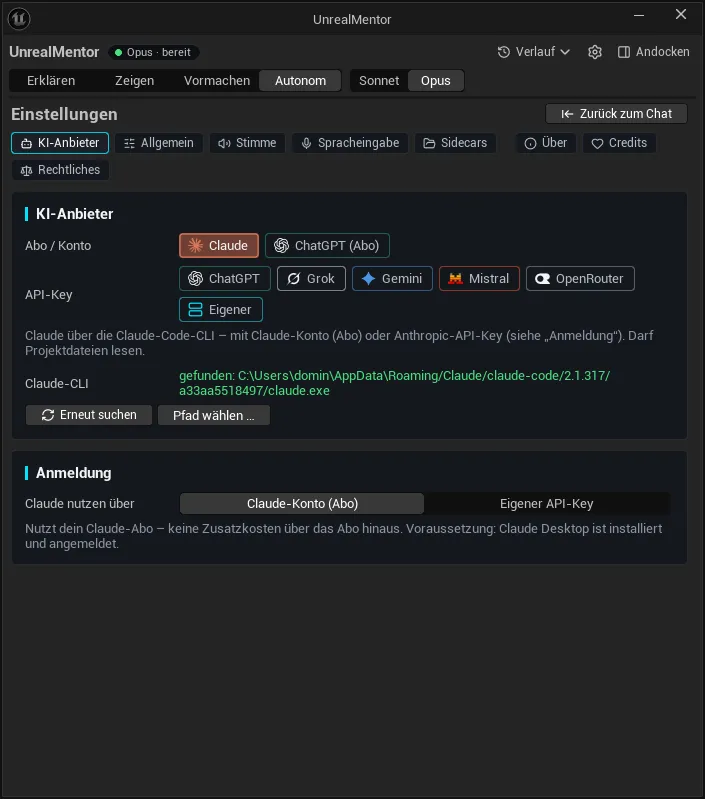
AI provider 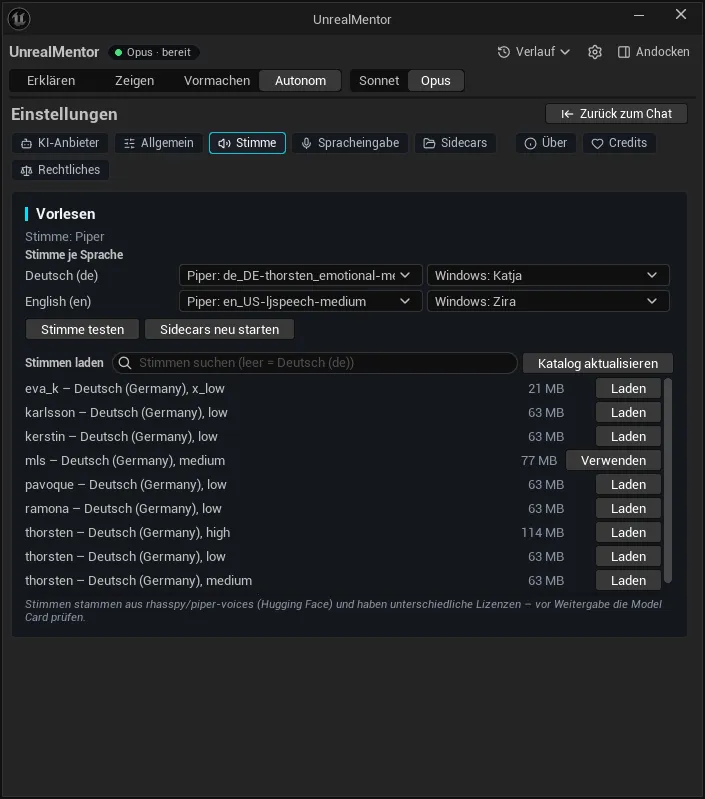
Voice output 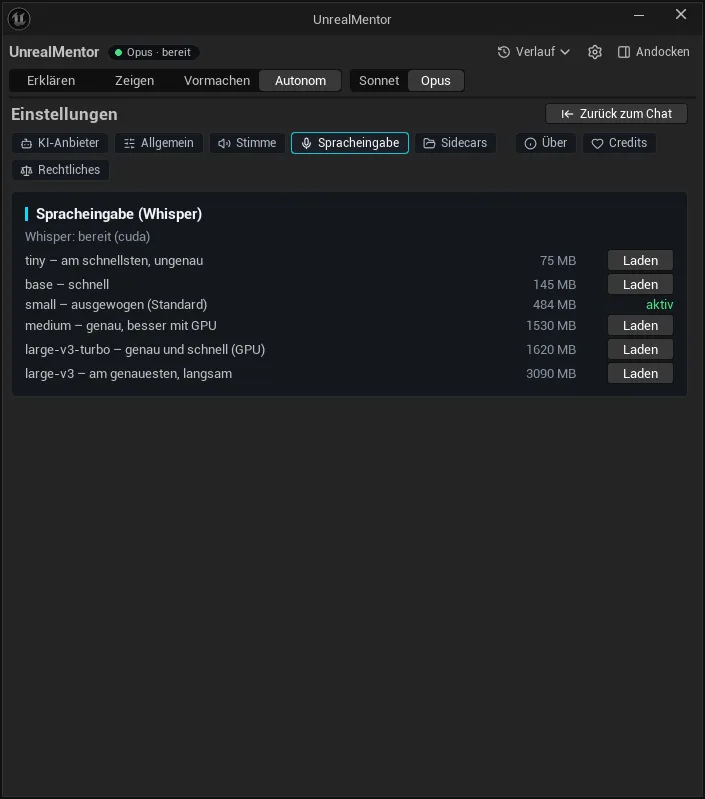
Voice input 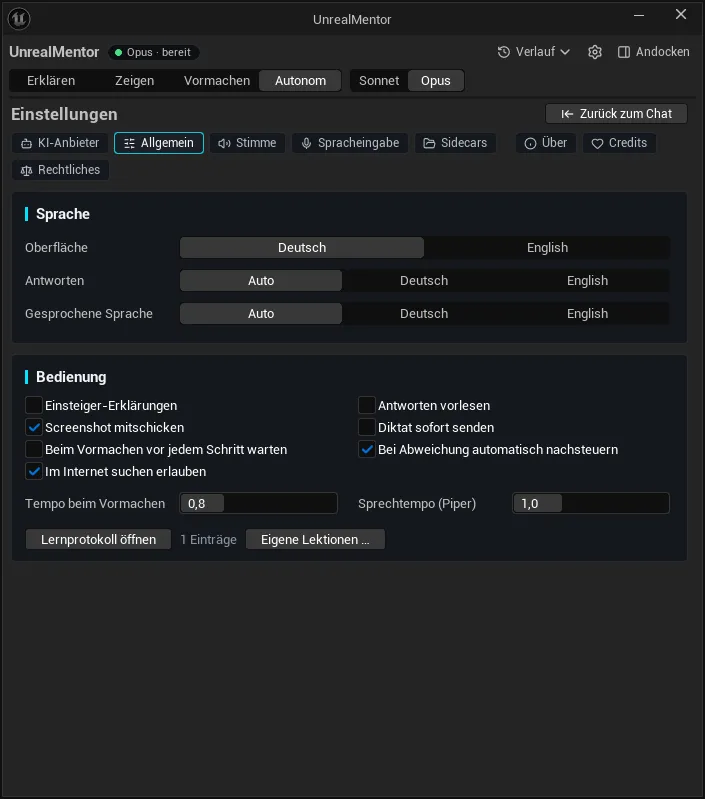
General settings 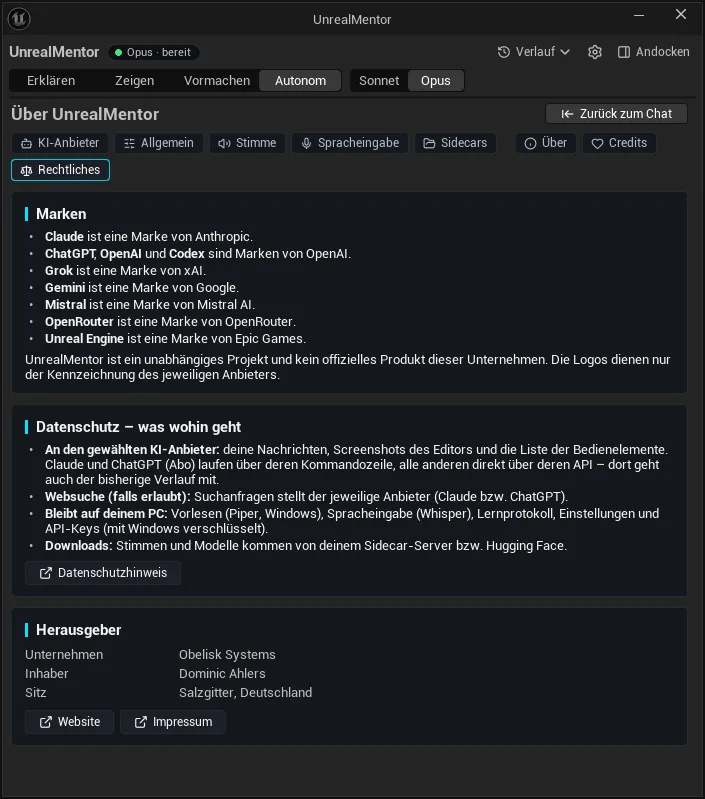
What goes where 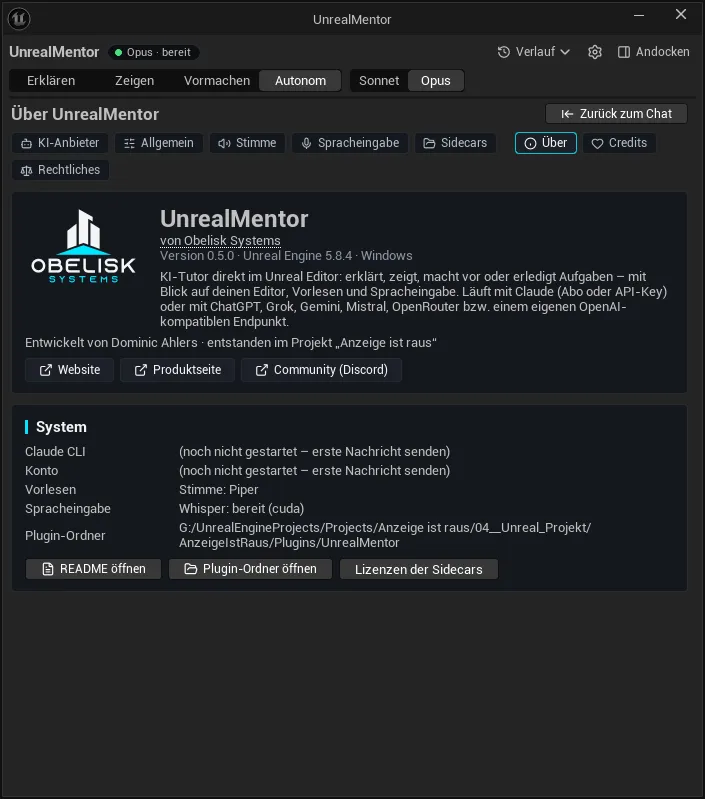
About
What stays local, what leaves
Your voice is processed on your machine. Text, a screenshot and editor context go straight from your PC to the AI provider you choose. There is no Obelisk server in between. With a local server such as Ollama or LM Studio, your chats never leave your machine.
- On your PCMicrophoneclick or Ctrl+Shift+Space
- On your PCWhisperspeech → text, on your PC
- On your PCEngine Mentorruns in your editor, finds matching recipes, adds screenshot and context
- To providerYour AI providerClaude, ChatGPT, Grok, Gemini, Mistral, OpenRouter or your own server: your message, the chat history, a screenshot of the editor window, the list of visible controls, a short project overview, new errors from Play in Editor
- On your PCPipertext → voice, on your PC
- On your PCEditorhighlight, cursor, clicks
- Audio recordings never leave your machine.
- Voices and speech models download from Hugging Face. The voice catalog refreshes at most once a week.
- We never see your credentials. Subscriptions sign in through Claude Code or Codex. API keys are stored on your PC, encrypted by Windows, never in the project.
- Chat history, learning log and screenshots are stored in your project and local app data. Delete conversations anytime from the history menu. Claude Code and Codex also keep their own session history.
- With the live debugger on, new errors from Play in Editor go to your provider on their own, at most three requests per play session and without a screenshot. Set it to 0 for local announcements only.
- AI usage is billed by your provider, under your plan or per use.
Full details: Engine Mentor privacy notice (German)
Requirements & FAQ
Requirements
- Unreal Engine 5.8, Windows 64-bit
- One AI provider: a Claude or ChatGPT subscription (through Claude Code or the Codex CLI), an API key, or a local OpenAI-compatible server
- Engine plugins "Toolset Registry" and "NNE Runtime ORT" (ship with the engine, enabled automatically)
- Optional: NVIDIA GPU for faster speech recognition (CPU works too)
- Unity: in progress
- Windows
- No middleman server
- DE · EN
Do I need an API key?
No. Use your Claude or ChatGPT subscription through Claude Code or the Codex CLI. You can also bring an API key for Anthropic, OpenAI, xAI, Gemini, Mistral or OpenRouter, or point the Mentor at a local server such as Ollama or LM Studio. Verified recipes even replay without any AI.
What does the Mentor send to the AI provider?
Your message (typed, or the local transcript of what you said), the chat history, a screenshot of the active editor window, a list of the visible UI controls, a short overview of your project (names of levels, Blueprints, classes and assets) and new errors from Play in Editor. Each of these can be turned off. With a Claude or ChatGPT subscription, the assistant can also read project files and search the web; you can turn web search off. Your voice recording never leaves your machine.
What are recipes?
Ready-made starting points for 250 common Unreal tasks. Most ship as unverified sketches from our research: the Mentor checks each path against your editor before guiding you. Once a recipe runs through completely, it is verified for your engine version and replays without the AI from then on.
Is this the former Unreal Mentor?
Yes. Until November 2026 the plugin was called Unreal Mentor. Same plugin, same features, new name.
Does it work with older engine versions?
The beta targets Unreal Engine 5.8 on Windows. Other versions are not supported yet.
Is there a Unity version?
Yes, the Unity version is in progress. Unreal is ready first, Unity follows as a beta. Join the waitlist on our Discord.
Can it break my project?
The AI cannot write to your files: Claude Code and Codex run read-only, and API providers get no file access at all. Changes happen only through clicks you can watch. The Mentor asks before saving, deleting, renaming or building, and you can stop it at any moment with Esc.
Step-by-step instructions, settings and troubleshooting: Engine Mentor documentation
Learn Unreal with a mentor at your side.
The Mentor is in private beta. Join the waitlist on our Discord.